



歷史記錄
文字、圖片、連結、顏色與檔案就放在瀏海下方,並標示來源 App 與時間。
了解更多Send the design back before Thursday.
Slack · ⌘1
#F4C95D
Figma · ⌘2
Confirming the demo at 10:00.
Chrome · ⌘3
快速鍵
⇧⌘V 開啟瀏海 · ⌘1–9 快速貼上
 NotchLingo
每個 App 都能即時翻譯——ChatGPT、Chrome、Slack、PDF。你複製的一切都放在瀏海裡,點一下就能貼上。
macOS 14+Apple Silicon 與 Intel月付、年付或終身買斷 ›
閱讀到哪,翻譯到哪
不必複製,也不用開新分頁。在任何 App 中選取文字,輕點 Shift,翻譯就會出現在游標旁,並附上發音、詞性與例句。
The model can make mistakes. Check important info before you rely on it.
NotchLingoEnglish → 繁體中文可能會出錯
翻譯就彈出在游標旁。已經是你的語言了?它會自動幫你反轉翻譯方向。
文字、連結、顏色、圖片與檔案都會連同來源 App 一併保存。 抬眼一看,點一下就貼上。
Confirming the demo at 10:00 AM on Friday.
Slack · 剛剛⌘1
const t = await translate(text, 'vi')
VS Code · 4 分鐘⌘2
#1F4E79
Figma · 8 分鐘⌘3
notchlingo.com/pricing
Chrome · 12 分鐘⌘4
將滑鼠移到瀏海,或按 ⇧⌘V。⌘1–9 快速貼上,⌘P 釘選。
Screenshots
Capture an area, a window or the whole screen, then point things out in seconds: arrows, numbered steps, callouts, spotlight and magnifier. Hide emails and faces automatically, translate the text inside the image, drop it on a beautiful background.
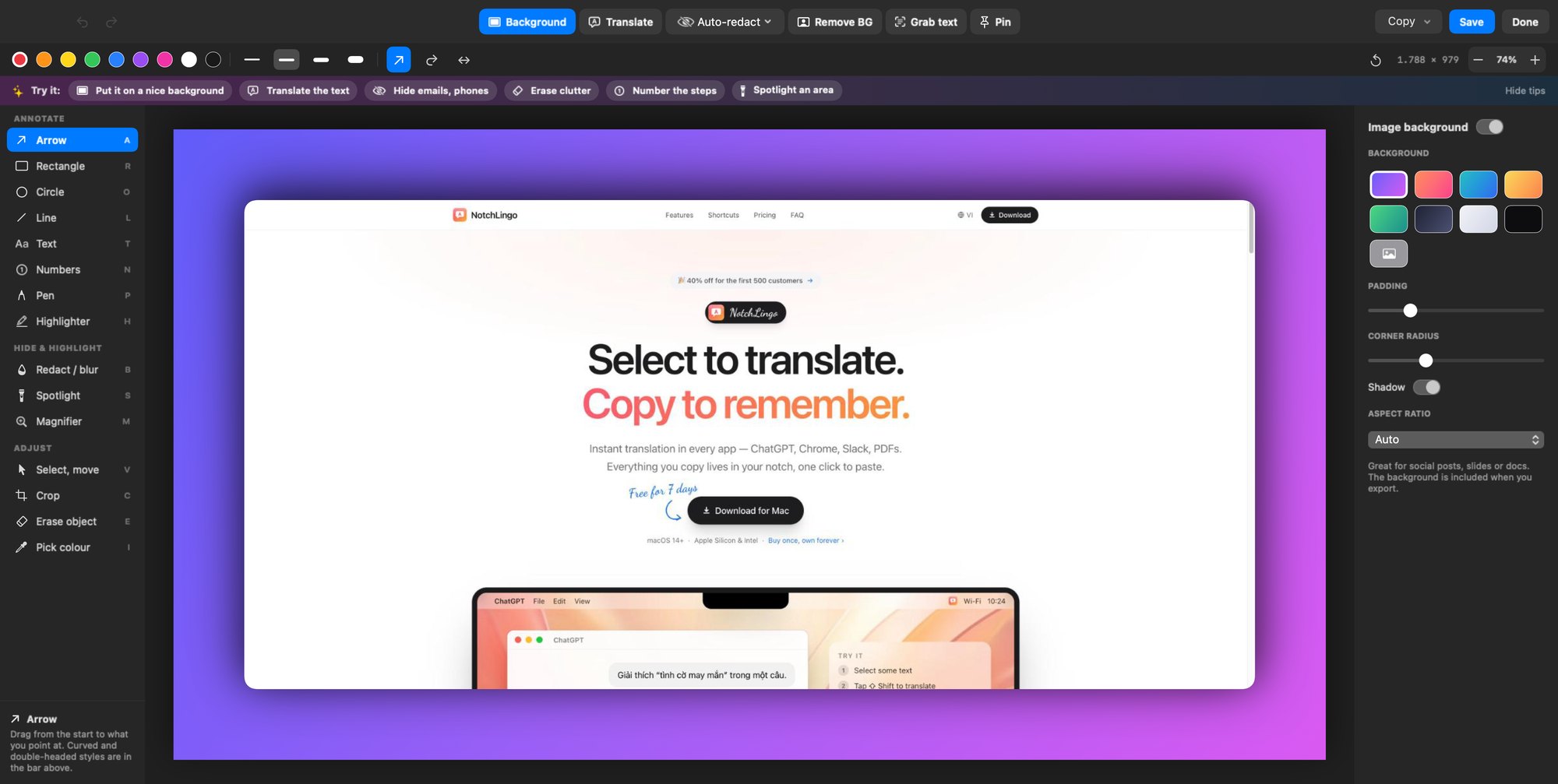
Real NotchLingo editor — every tool one key away.
New · Screen recording
Record the screen and the editor opens full-screen with smooth auto-zoom on every click. Add arrows, callouts, numbers and a spotlight that appear exactly when they matter, cut the boring bits, speed up the slow ones, then export a small MP4 or GIF. Works with videos you already have, too.
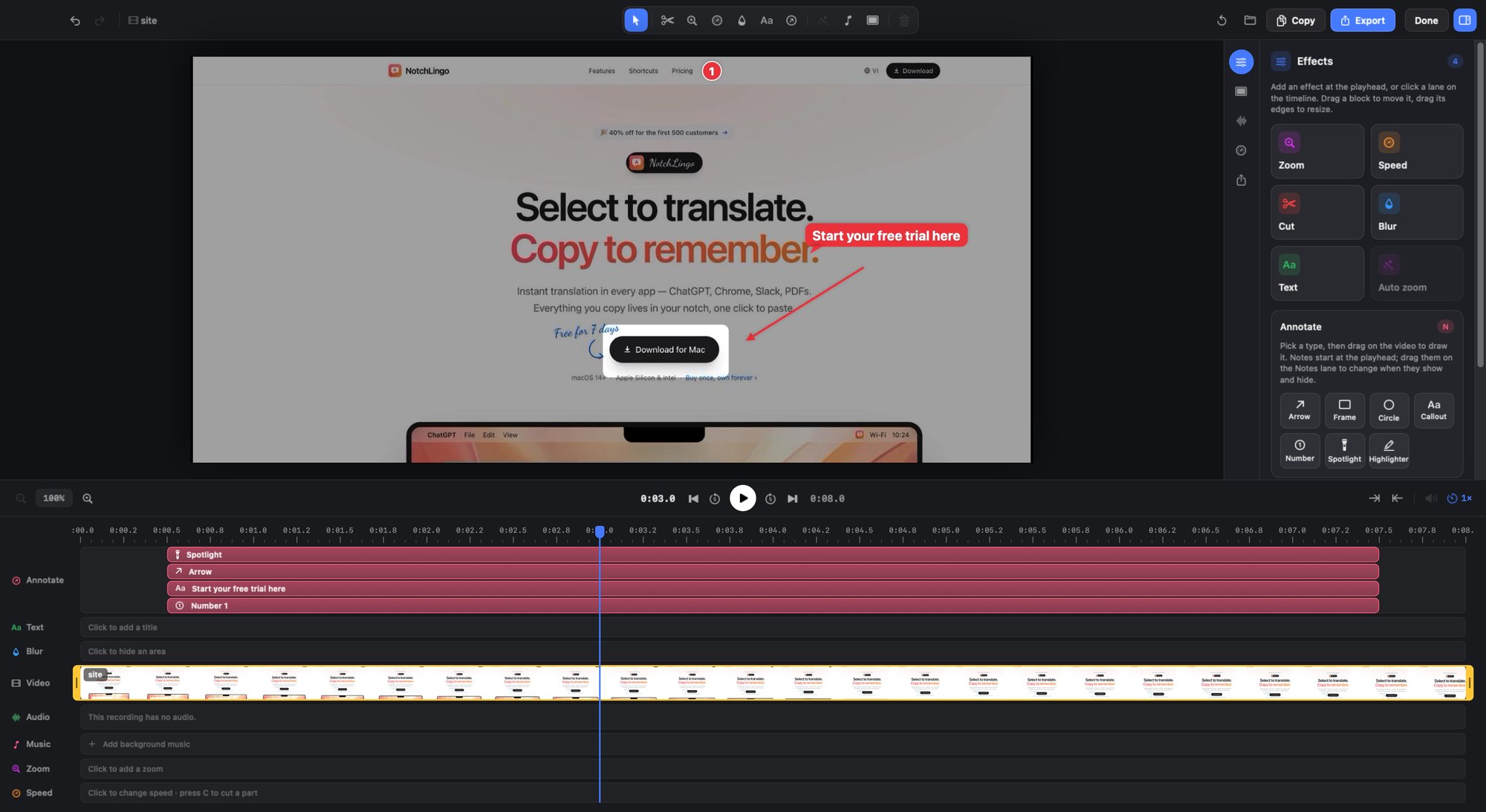
Notes show up at the right moment — and stay in the exported video.
新功能 · 會議記錄
Zoom、Meet、Teams —— 按下 ⌥⇧6,通話旁邊出現一個簡潔的面板。說到哪裡字就出現到哪裡,依說話者清楚分開,需要時還能即時翻譯。會議結束後,Apple Intelligence 在你的 Mac 上寫好紀要。
Launch sync
Sam 00:03
Morning! Let's lock the launch date for version 1.2 today.
Me 00:09
I'd go for next Thursday — the build already passed QA.
Priya 00:16
Marketing needs two more days for the video and the App Store shots.
Sam 00:24
Okay, Monday it is. Priya, can you send the video draft by Friday, and the screenshots
你的話在一邊,其他人的在另一邊 —— 點一下名字即可改名。
每個動作都有快速鍵,雙手不必離開鍵盤。
選取文字後,輕點 Shift 即可翻譯
翻譯選取的文字
開啟剪貼簿歷史記錄
快速翻譯輸入框
貼上第 1–9 項
翻譯選取的項目
開始 / 結束會議記錄

在有瀏海的 MacBook 上,NotchLingo 就住在瀏海裡。在沒有瀏海的螢幕上(包含外接螢幕),螢幕頂端中央會出現一個小膠囊。滑鼠移上去即可展開。
你的歷史記錄只留在你的 Mac 上。密碼管理器的密碼絕不會被儲存。你也可以排除任何 App。
可按月、按年付費,或一次付清終身使用。登入後即可在你所有的 Mac 上使用。支援信用卡(透過 Polar)或越南銀行轉帳付款。
開始之前
幾乎所有 App:ChatGPT、Chrome、Safari、Slack、Claude、VS Code、備忘錄、郵件、PDF……NotchLingo 透過 macOS 輔助使用功能讀取你選取的文字;若 App 不支援,則會先複製,再還原你的剪貼簿。
沒問題——NotchLingo 會在螢幕頂端中央顯示一個小膠囊。滑鼠移上去即可展開。
信用卡付款由 Polar(授權經銷商,含稅)處理。越南用戶可透過 VietQR 銀行轉帳付款。帳號會立即啟用,在 App 中登入即可。
可以。所有方案都支援你的所有 Mac,只需用同一個帳號登入即可。
可以——若 NotchLingo 不適合你,14 天內全額退款。